Requirements Browser
The requirements browser lists predefined requirements or those defined subsequently by the user, filtered by type of requirement, source of origin or currently selected evaluation parameter. When using ISO 12354, requirements can be selected by reference in the calculation configuration of a CadnaB project (see ISO 12354-2017 parts 1-3) and thus defined as standard.
The dialog is used to display existing and to enter new, user-defined requirements. Click on a row and then click the „Details“ button to view more information about that requirement specification.
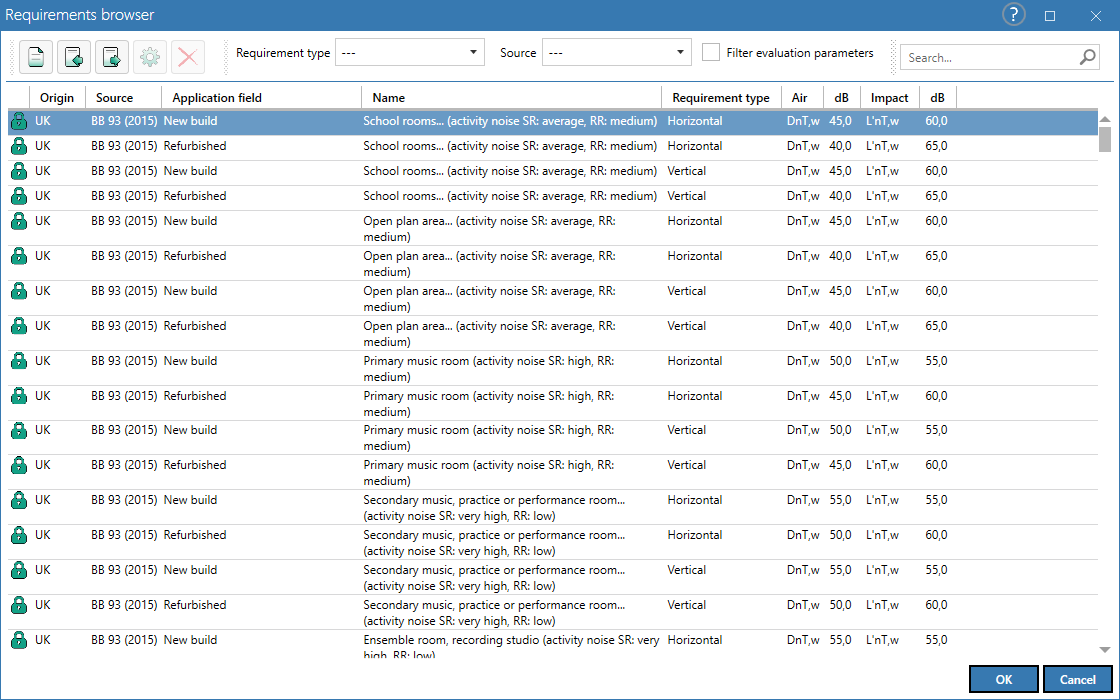
The following types of requirements are available:
- Horizontal (... transmissions between rooms)
- Vertical (... transmissions between rooms)
- Composite (for separating components inside, which contain inserted / small elements)
- Outside (transmissions outside-inside)
Currently, requirements of following sources are available:
- User defined
- BB 93 (2015)
- BS 8233 (2014)
- DB HR (2019)
- DEGA 103 (2018)
- DIN 4109-1 (2018)
- DIN 4109-5 (2019)
- ISO 19488 (2020)*
- NBR 15575 (2013)
- UNI 11367 (2010)
- VDI 4100 (2007)
- VDI 4100 (2012)
* Draft 2020 published, meanwhile withdrawn
Defining a new requirement

Click the „New“ button to enter a new requirement. The Edit requirement dialog opens.
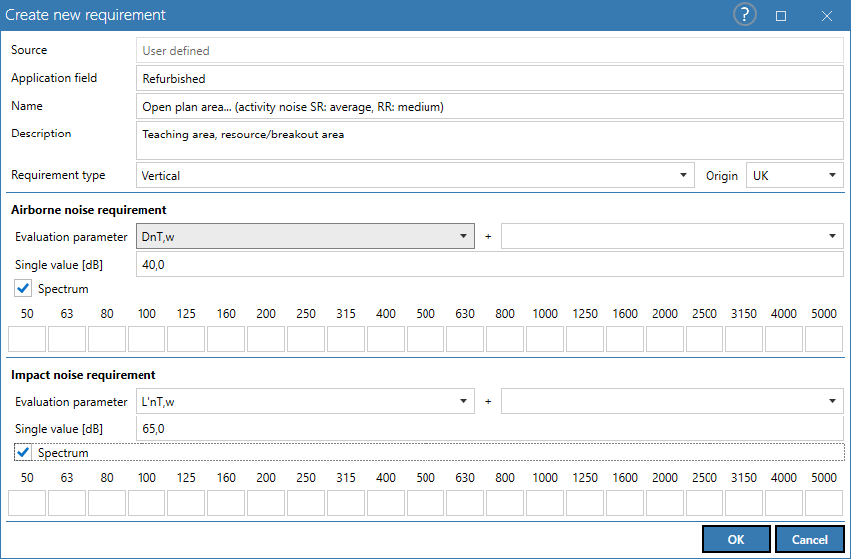
If a row is selected when clicking on "New", the requirement data of this row will be transferred to the new requirement.
Name/source/source description/Description
user defined text input
Element
Selection „horizontal/vertical/composite/outside
Airborne noise requirement
Requirements can be defined as single number rating or as a spectrum (option "spectrum"). In the case of single number ratings, all parameters according to ISO 717-1 including the spectrum adaptation terms are available (as well as app. STC, app. OITC accord. to ASTM).
Impact noise requirement
Requirements can be defined as single number rating or as a spectrum (option "spectrum"). In the case of single number ratings, all parameters according to ISO 717-2 including the spectrum adaptation terms are available (as well as app. IIC accord. to ASTM).
OK
Clicking OK saves the data record and is subsequently available for selection in the calculation configuration.
Import/Export


With clicking on this buttons, user defined requirements can be exported / imported to local CadnaB-files.
Search / Sort / Change column width
see Tables Menu
Details
opens the dialog described at "Defining a new requirement", but for pre-defined requirements from the global database without the possibility to modify the data. User-defined requirements can be modified.
Delete
Deletes all selected requirements (only available for user defined requirements)