Entering & Editing Floors
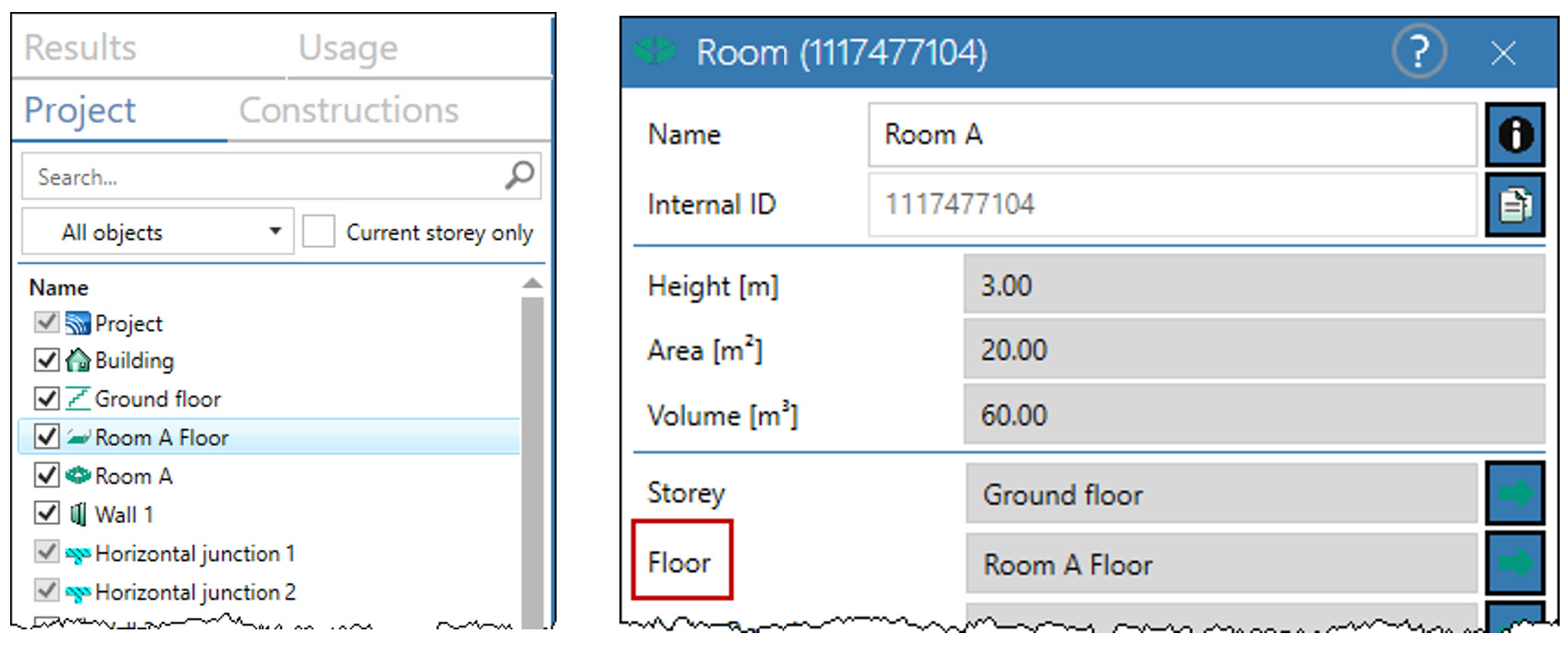
Accessing a room‘s floor (floor slab and its flooring) occurs as follows:
- By double-click on the entry in the object list in the "Project" mode (see „Project“ Mode) and then clicking on the green arrow at "Floor"
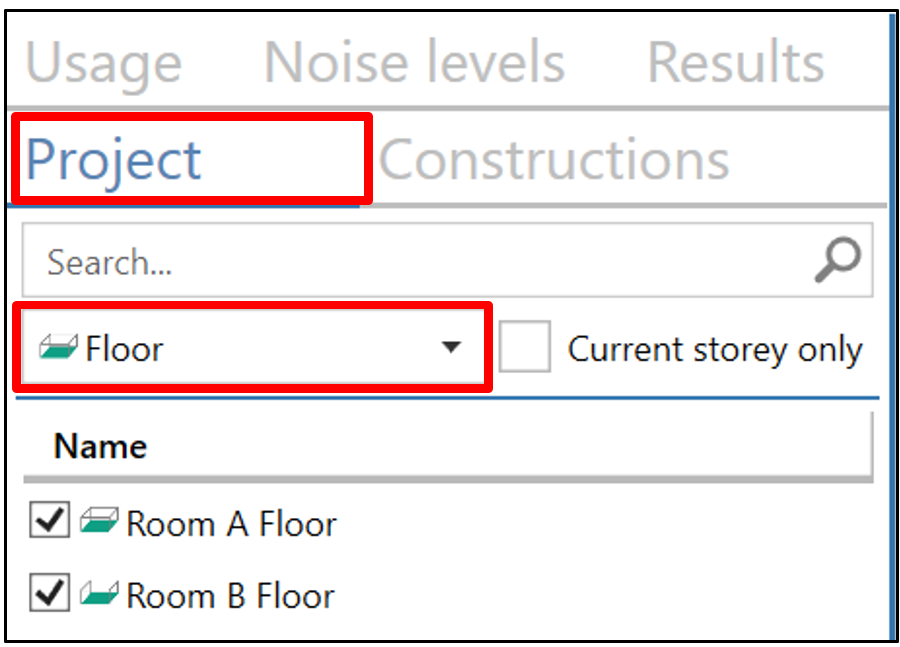
- Filtering by floor in the drop-down list in the Project mode allows you to display the floors. Double-clicking on an entry in the object list opens the floor dialog:
In both cases the Floor dialog (see Floor) opens.
By double-clicking on an entry of the object Room in the „Constructions mode“ (see „Constructions“ Mode), a construction can be assigned to the floor.