Multi-Wall tool

The multi-wall tool is used to enter the neighboring room.
- Select the tool on the toolbar.
- Click on the lower left junction and release the mouse button.
- Drag this mouse to the next corner and click the mouse to highlight the corner.
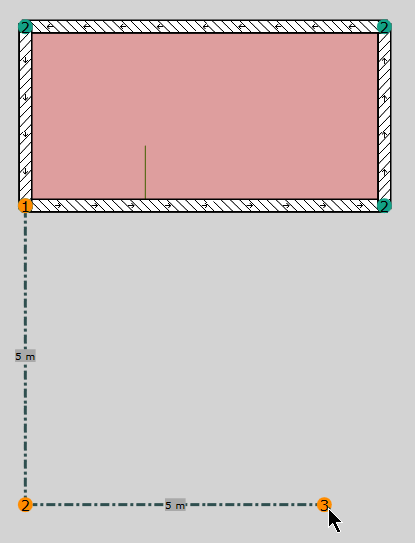
- Continue entering the next corner.
- To close the room, click on the bottom right corner of the first room.
Also in this case, the closing of the room polygon is indicated by coloring the room floor area.
Input of components at right angles
While entering a wall as polygon, if the SHIFT key is held down, the line is automatically snapped to right angles.