Select Language
CadnaB is multilingual. To switch language, open the dialog Extras|Select Language.
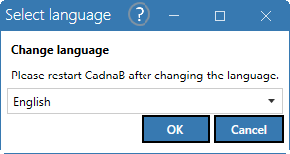
For the time being, you may operate CadnaB in any of the following languages:
- German
- English
- French
- Italian
- Portuguese
- Spanish
- Chinese
If “System” is selected, the language that is set in the Windows system is used.
Note
After changing the language, a restart is required so that the change is effective in all dialogs.