Calculating Reverberation Time
After one or more CadnaB projects have been created (see Managing CadnaR Projects) and the corresponding surface properties have been edited, open the Remote job dispatcher dialog (Start CadnaR Calculation command in the Calculation menu).
Select the “Reverberation Time” option as the type of calculation.
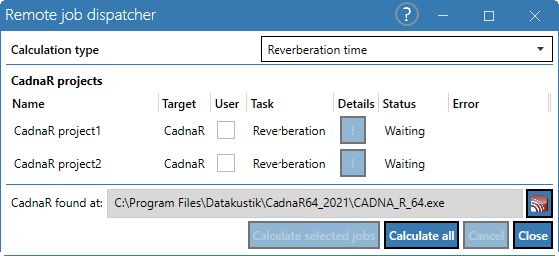
The dialog lists all existing CadnaR projects, their calculation target, the calculation type, their respective status and any error messages that may have occurred during a calculation.
Use the mouse to select one or more projects. As usual, the SHIFT and CTRL keys can be used for multiple selections.
Calculate selected tasks
After selecting one or more projects, these are calculated.
Calculate all
calculates all existing CadnaR projects
In both cases, the "Calculate" entry in the "Status" column shows which project is currently being calculated.
CadnaR detected at
shows the file path of the CadnaR version used for calculation
After the calculation has been completed, the dialog in the "Status" column shows that all jobs have been completed or, if applicable, canceled with an error message.
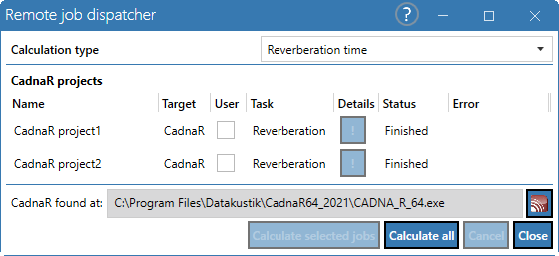
Close the Remote job dispatcher dialog using the "Close" button.
Double-click in the object list in the "Project" mode (see „Project“ Mode) to display the result of the reverberation time calculation for the selected CadnaR project (see red marking below in the "Reverberation time" section).
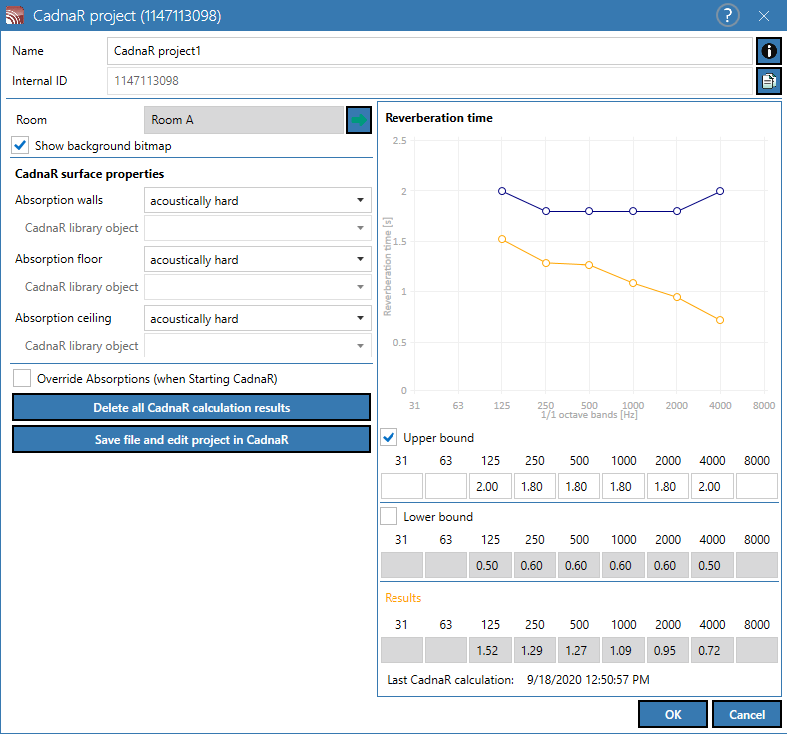
For further information regarding CadnaR-Projects, see CadnaR Project