Inserted/small Element
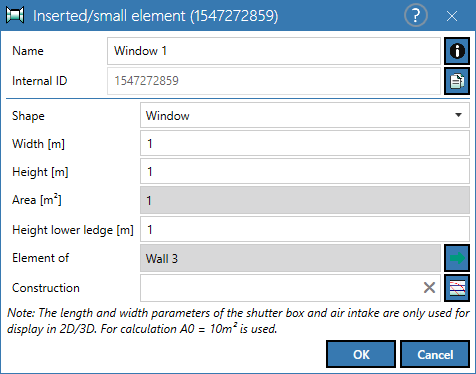
Dialog options
- Name, Memo-field
 , Internal ID: see Common Input Data
 - Shape: Select the acoustically relevant element type that corresponds to the construction to be selected. The transformation of element data to the final transmission depends on the selected "shape". Depending on the selection made, when accessing the data (via the Construction Browser dialog, see Construction Browser), only the element types being compatible with the selected "shape" option are displayed.
- Width/Height (m): Enter the geometry data here.
- Area (m²): calculated from width x height. If a roller shutter box or a ventilation opening is selected under embossing, a reference absorption area of 10 m² is used for the calculation, regardless of the geometric dimensions.
Note
When determining the net area of the partition, the areas of the small elements, such as roller shutter boxes and air intakes, are also taken into account.
- Height lower edge (m): This height is relevant for the 3D room display (see 3D-View).
- Construction: to select
 or delete
  a construction
 - Joint, joint length, Rs,w: Only available with standard DIN 4109-2018. Only available in German documentation
The sound insulation of small components is described by the standard sound level difference Dn,e (dB).
Appearance
The elements inserted using the symbol  are displayed as follows:
| Element Type | Appearance |
| door | 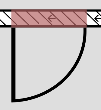 |
| window | 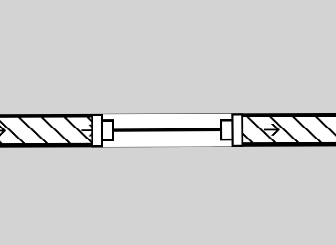 |
| glazing | 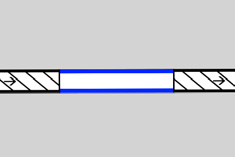 |
| roller shutter box | 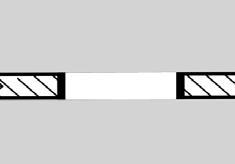 |
| air intake | 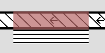 |
| Unknown | 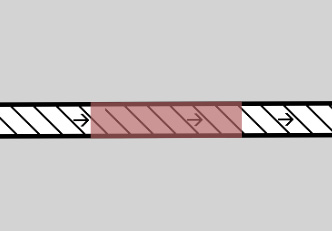 |
If "Unknown", no construction can be assigned, but the area of the wall is reduced by the area of the component.