CadnaB Settings
The CadnaB Settings dialog is used to manage global CadnaB settings which are not project specific. The selected settings are saved in the configuration file and loaded on restart.
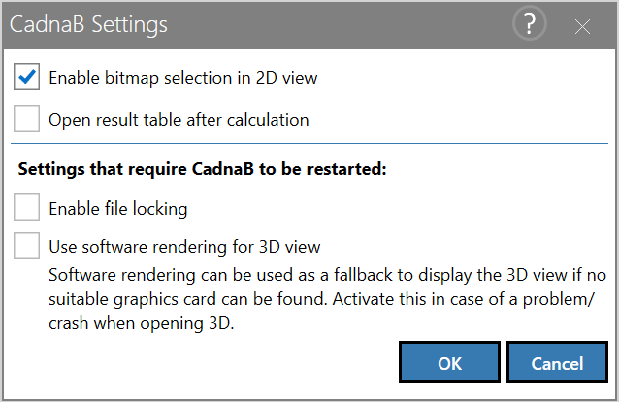
Options
Enable bitmap selection in 2D view
This option must be activated to select bitmap objects in the 2D view by a mouse-click (default: on). By deactivating this option, you may - for example - prevent a stored bitmap from being selected and deleted when using the multi-select function (see Multi-Select).
Open result table after calculation
Activating this option opens the result table in the Results mode after each calculation (see Dialog Result Table).
Enable file locking
With this option a CadnaB file can be blocked against use or unblocked. Toggling this option requires a restart (default: off).
Use software rendering for 3D view
In case a sufficiently powerful graphics card is not available, this option can be used. This setting is ignored for remote desktop connections (uses always software rendering). Toggling this option requires a restart (default: off).