Building
Buildings are modeled as a sequence of walls raising vertically from the ground and forming a closed polygon. The floor plan can be of any shape, a rectangular shape can be enforced however (action/command Force Rectangle, just applies to buildings with four polygon points, see Force Rectangle in manual „Introduction to CadnaA“). By default, buildings are modeled without a roof plate, although this is displayed in the 3D-Special view (see 3D-Special View). For sources above roof level the ground attenuation results from the source height above ground and not above roof (as the roof is not a reflecting surface).
Roof ridge and gable walls
There are no roof ridges and no gable walls considered by default as the building is modeled from a series of barriers of the same height and having no roof („open box“).
In order to include the screening effect by the ridge, it is recommended to enter a barrier along the ridge line inside the building’s floor plan with a height corresponding to the ridge height (see Defining a Roof Ridge).
To account for the screening effect by gable walls additional polygon points of the building polygon are entered (CTRL key). The height is specified using the option „Height at every Point“ via the dialog Geometry of the building (see Defining a Roof Ridge).
Internal Sources
Before starting the calculation, CadnaA performs a consistency check (see Consistency Check) checking for sources inside the building’s floor plans. If so, a message will be displayed.

Result of the Consistency Check
Ignoring the message (by clicking the „Continue“ button), the building’s outer walls will be considered as barriers diffracting the sound across the barrier’s top edge. So, in this case again, the roof is acoustically not existent by default.
Note
This restriction is due to the procedures in the respective calculation standard or guidelines, and not a restriction specific to CadnaA.
Note
In order to model the sound radiation from buildings, vertical area sources are attached to the building’s facade the emission of which can be specified based on the interior level (see Building Radiation in the manual "Introduction to CadnaA" and see Sound Reduction Spectra in this manual).
Dialog options

Dialog Building
Name, Memo-Window, ID, ObjectTree, Master
see Dialog Options Name, ID, INFO, ObjectTree, Master in the manual "Introduction to CadnaA"
Reflection Loss/Absorption Coeff. Alpha
By default, buildings are not reflecting sound (option „No Reflection“). Selecting one of the options „Reflection Loss“ or „Absorption Coefficient Alpha“ enables to specify via the respective file selector symbol  either a reflection type (see Chapter 3 - Obstacles, Reflection Properties) or to address an absorption spectrum from the local or the global (by SHIFT-clicking) library of absorptions.
In this case, reflections from the building’s surface are taken into account applying the image source method, provided that on tab „Reflection“ (see Reflection Tab) in the configuration of calculation at least the first order of reflection is selected.
Option „Residential Building“
see Residential and non-residential Buildings
Acoustical Transparency (%)
Button "Geometry"
Via the button „Geometry“ the building’s height is specified (see Object’s Geometry).
Note
Buildings lifted from the ground can be entered using the geometry option „absolute Height/Ground at every Point“. Those „floating“ buildings are also displayed on the 3D-Special view as lifted above ground. By contrast, in the calculation the ground will be automatically triangulated to the base line of the building causing a screening effect below the building. Background of this phenomenon is diffraction model used by all existing which do not cover screening objects lifted from the ground. Further, this is due to the normative restriction that - by default - no reflective surfaces in the z direction exist besides the ground.
Example
Path: Examples\Obstacles\Building\Building - Height Ground at every Point.cna
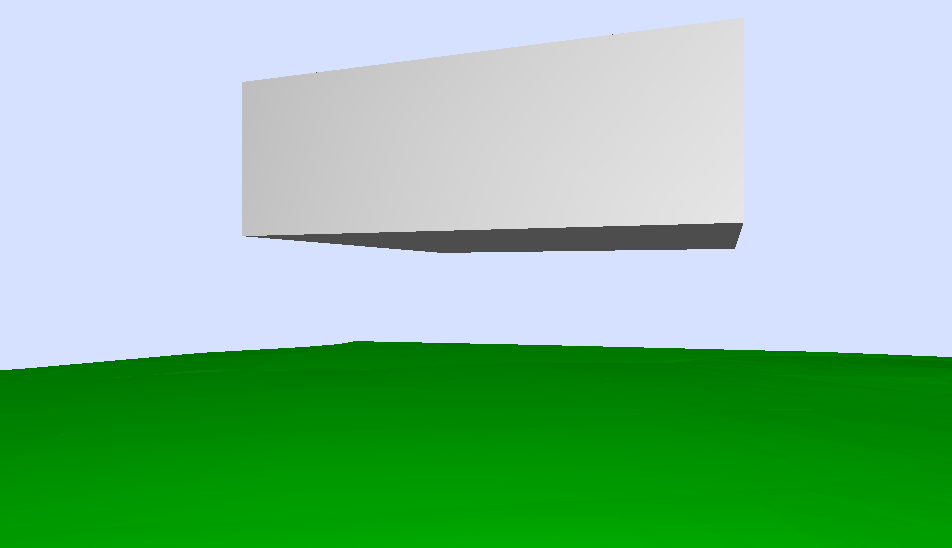 |
Building floating above the ground, defined using the geometry option „Height/Ground at every Point" |
 |
Level distribution on the vertical grid: The ground is triangulated to the base points of the house causing a screening effect |
Sources in Buildings do not shield
The option „Sources in Buildings/Cylinders do not shield“ is available for industrial sources (see Industry Tab).
Deactivate Point Objects in Buildings
The command Deactivate point objects in buildings (from Extras menu) offers to deactivate point like objects (e.g. height points, point sources) laying inside of the building polygons. This feature can be applied after import operations in order to delete all deactivated objects afterwards using the command Modify Object (see manual „Introduction to CadnaA“).
Further chapters regarding buildings:
- command Edit Facades (see Edit Facades)
- Defining a roof ridge (see Defining a Roof Ridge)
- command Generate Building (see Generate Building)
- action/command Force Rectangle on the dialog Modify Objects and on the context menu (see Force Rectangle , see manual „Introduction to CadnaA“)
- entering receivers along facades (see Receiver, Entering receivers at a building’s facade)
- Snap Point on Building Facade (see Snap Point to Facade)
- Building Evaluation (see Building Evaluation)
- Building Noise Map (see Building Noise Map)
- Import Building Height Points (see Building Height Points)