Level (dB) Box
This object can be used to display the result of a grid calculation at any point of the calculated grid (see Receiver Grid), also the height of the ground grid.
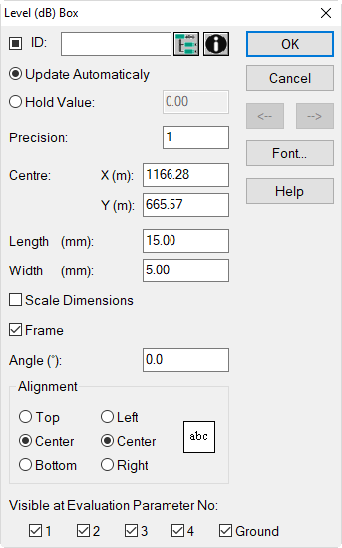
Dialog options
Mark, ID, ObjectTree, Memo-Window
see Dialog Options Name, ID, INFO, ObjectTree, Master in the manual "Introduction to CadnaA"
Update automatically
By default, the value shown in the box is updated automatically. This means that after each recalculation or when a different evaluation parameter is selected from the list box on the toolbar the actual value of the selected parameter at this location is displayed in the level box.
Hold Value
When the option „Hold Value“ is activated, the level box will not display the new value after recalculation, but will keep displaying the former value. The input box enables to alter the value displayed.
The grid values will be updated by a recalculation in any case. But, the displayed values will not be updated with the option „Hold Value“ activated.
Precision
This value specifies the decimal to be used for rounding (default: 1).
Visible at Evaluation Parameter No.
By these check boxes it can be specified at which evaluation parameters 1 to 4 (plus ground) the level box shall be displayed or not. By default, level boxes are displayed for all evaluation parameters LP1 .. LP4 and when selecting of the ground grid.
Other dialog options
For the other dialog options see chapter Text Box.