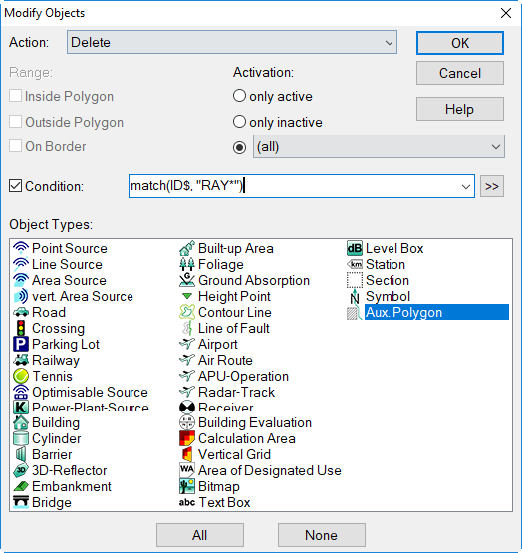
Delete
CadnaA-objects may be deleted in several ways.
Delete in the Graphics
- mark/activate the object
- press DEL keys or select from the object’s context menu the command Delete
- CadnaA jumps automatically to the next object of that object group
Delete in the Tables
- mark the object’s line in the respective object’s table (Tables menu)
- press the DEL key or select from the table’s context menu the command Delete
- CadnaA jumps automatically to the next object in that object table
Delete via the dialog Modify Objects
- click into the white area on screen with the right mouse button
- select context menu command Modify Object
- on dialog select action „Delete“
- specify/select object type/s
- confirm the execution of the command (options Yes/No/All/Cancel)
Default Condition
With action „Delete“ the default condition can be used to delete the auxiliary polygons being rays generated via the option on the Receiver dialog (see Receiver in the CadnaA Reference manual).