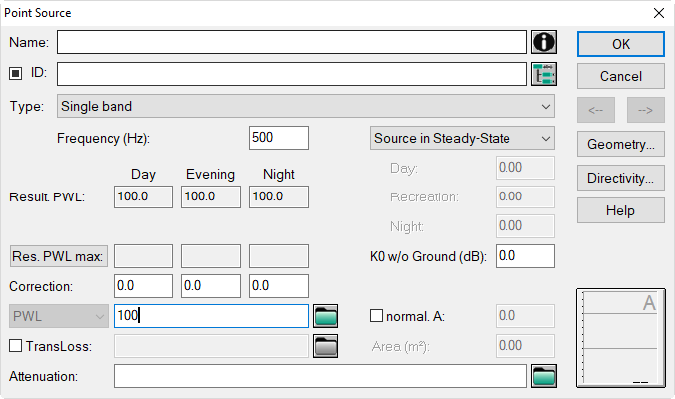
A-Weighted Sound Power Level as Emission Value
Enter a point source (x, y) = (100, 100) via the keyboard. To this end, proceed as follows:
- Move the vertical scroll bar down and the horizontal scroll bar to the left. The coordinate origin (x, y) = (0, 0) is now in the lower left corner. You can check this with the help of the mouse and the coordinates being displayed on the status bar.
- Select the object "point source" from the toolbox with the mouse. The symbol of the point source is now attached to the mouse arrow.
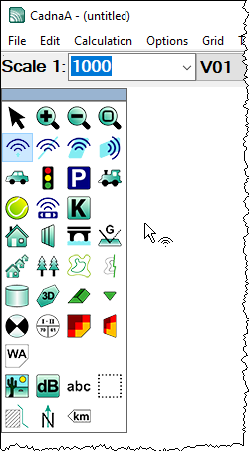
Object Point Source selected from the toolbox
- Now, enter the x-coordinate 100 using the numerical keys or the numerical keypad of your keyboard. Upon entering of the first figure the dialog „Input of Point“ is displayed:
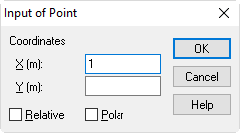
- Finalize the input of the point source’s coordinates (x, y) = (100.100).
- After click on OK the point source is shown.
-
Check for the correctness of the coordinates in the dialog of the point source. Change to it into the edit mode by click to the symbol (
 ) in the toolbox.
 -
Double-click on the point source. Note that the border of the point source represents the "hot spot".
- Click on the point source’s dialog on the button "geometry". The entered coordinates are displayed.
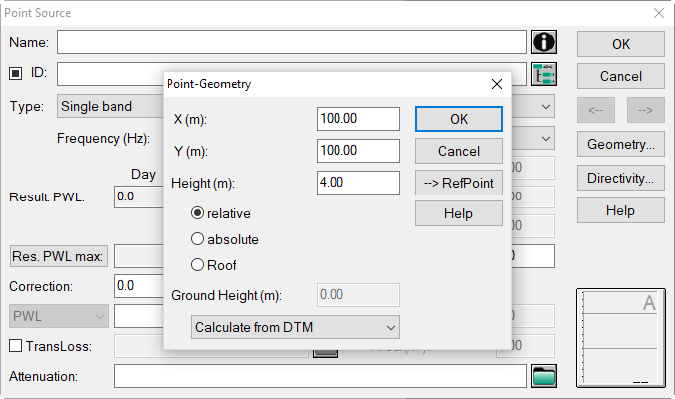
- Close the dialog Point Geometry and enter for the emission level of the point source a PWL of 100 dB(A). Since "Single band" is chosen under „Type“, this value is interpreted as the A-weighted sound power level.