Screening Effect
When objects are in the ray’s path, the screening effect is taken into account by a corresponding barrier attenuation. This barrier attenuation is calculated according to ISO 9613-2. As a rule, there are three paths considered in the calculation: one over the top of the obstacle, and two lateral paths, around each side.
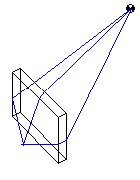 |
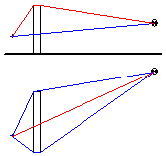 |
If several objects are in the ray’s path three paths are considered for every pair source-receiver.
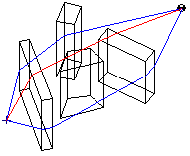 |
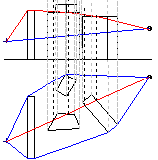 |
This procedure used for several objects - at which the lateral diffraction is accounted for by the two rays around the arrangement of objects - is an approximation. Actually, there is a variety of additional rays through the arrangement of objects and these rays may determine the resulting levels in a specific case. The described procedure, however, has proven to be an optimal compromise with respect to the computation time and the on average resulting accuracy.
In CadnaA, the lateral diffraction can be turned off with time-intensive computations including large amounts of screening objects. In this case, just the ray path across the upper edges of the objects is considered in calculation of the screening effect (Configuration|Calculation, tab "Industry").
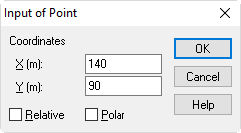
In the following example, a building with the first corner located at (x1, y1) = (140.90) is introduced.
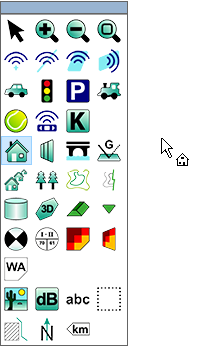
- Select the object „Building“ from the toolbox.
- Enter the first corner point (coordinates see above) via the keyboard and press OK.
- The next points can be defined relatively to the previous point. To this end, activate the option "Relative" before entering the second point. The second corner point {is located at Δx2 = 20 m to the right, while Δy2 = 0 m:
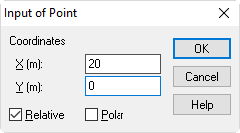
- Confirm by OK.
- Up to now, the building is just made from a single segment. CadnaA is waiting for the third polygon point to be entered:
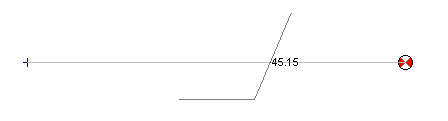
- Enter the third point at Δx3=0 m and Δy3=20 m.
- The fourth point is located at 20 m to the left, i.e. in negative x-direction. So, the required value to be entered is Δx4=-20 m and Δy4=0 m.
- Close the building by clicking the right mouse button. Now, the building looks like this:
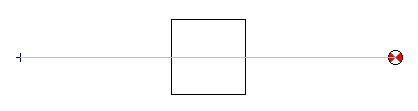
- The building‘s height has still to be defined. Change to the edit mode (symbol
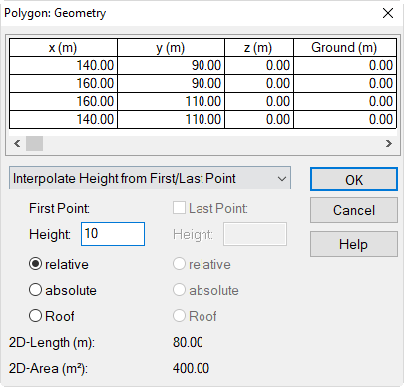
 in the toolbox) and double-click on the border of the building. Click on the button "Geometry" and enter a building height of 10 m.
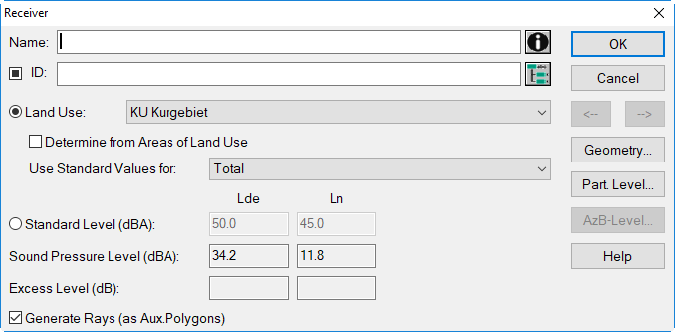
- Click the pocket calculator-symbol on the symbol bar. The level has decreased due to screening effect by the building .
Note
The calculation protocol (menu Calculation|Protocol) lists the barrier attenuation Abar for the levels Ld, Le and Ln (but not for mixed level, like the Lde).