Section
An area within the graphic can be designated using the object "Section" from the toolbox. The sections may be used to copy parts of the graphic e.g. to the clipboard or to print parts of the graphic via the Plot-Designer (see Print Graphic and PlotDesigner). The frame of the section is neither printed nor copied. Several sections may be defined in a file.
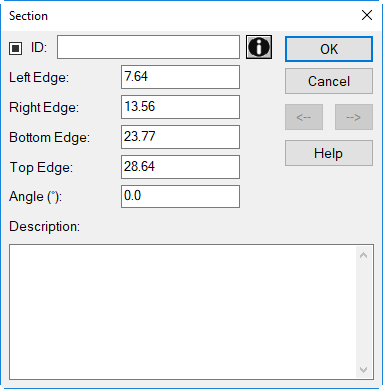
Dialog Section
Dialog options
- ID and Memo-Window see Common Input Data
- Left/Right Edge: x coordinates
- Bottom/Top Edge: y coordinates
- Angle: The section can be rotated entering an angle (a positive value = counter-clockwise rotation). When printing this section the respective area will be rotated in opposite to the angle specified.
- Description: describing text
Further Features
- Copying contents of the section: To copy the objects within the section as a graphic activated it and press the key combination CTRL+C. Press the key combination CTRL+V to paste the graphics from the clipboard in another application.
- Printing contents of the section: To print a specific section name it at first. After selection in the Plot-Designer this section can be printed.