Calculate Receivers
When clicking the pocket calculator symbol  on the symbol bar the levels at all receivers (see Receiver) of the actual variant are calculated.
In contrary, when selecting the command Calc Receivers from the Calculation menu and with more than a single variant, the dialog Calculation is displayed offering the following options:
- calculate only the current variant
- calculate all variants
- calculate a selection of variants
Prior to calculation, the object data are subjected to a consistency check (see Consistency Check).
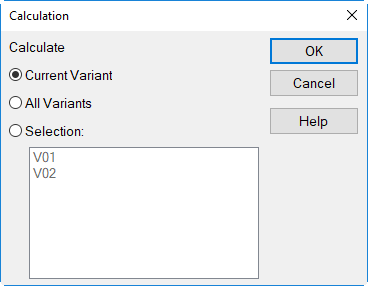
Dialog Calculation showing two variants
This command is distinct from the calculation of the sound decay curve (SDC) or the reverberation time (see above). Due to this fact, it is possible to calculate the sound pressure level at receivers also using imported sound decay curves (see Diagrams (SDC/T), Import Path).
Note
The specified calculation configuration applies to all active variants. There is no way to address different calculation configurations to a specific variant.
Note
With several variants in a file just the receiver grid of the most recent variant calculated is saved due to RAM limitations. Use the commands Save and Open on the Grid menu with grid calculations and several variants.