Common Input Data - Obstacles
Buttons „Absorption/Scattering/Transmission“ for Obstacles
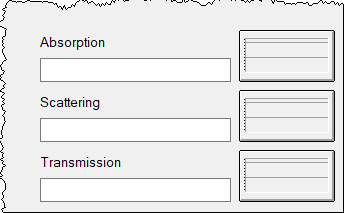
Click one of these buttons to select a spectrum for the absorption coefficient, the scattering coefficient or transmission factor/sound reduction index from the local or global libraries and assign:
- Selection from the local library: by clicking on the file selection icon
- Selection from the global library: by clicking on the file selection icon while holding down the SHIFT key
Alternatively, a numerical value can be entered. In this case this value for all octave bands is used.
Note
The scattering coefficient and transmission factor (or the sound reduction index) apply in conjunction with the particle model only. Furthermore, both factors apply for the partial energy due to the particle model with calculations using the hybrid model ("Image Sources -> Particles").
Diagrams
After selection of a spectrum or after entering a numerical value, the graph shows the absorption coefficient, the scattering coefficient or transmission factor/sound reduction index.
Note the following display features of the button diagrams:
- At the button "Transmission" either the spectrum of the transmission factor or the sound reduction index is displayed, depending on the transmission type selected.
- If the particle model is not selected as calculation procedure, the buttons for scattering and transmission are shown in gray. In this case, the selection is possible, but the scattering and transmission values are not used in the calculation.
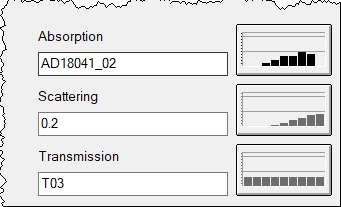
Calculation Procedure „Image Sources“ selected: Buttons „Scattering/Transmission“ are in grey, as not being relevant.
values used in case of empty fields
In case of no selection for „Absorption/Scattering/Transmission“,i.e. the fields are left empty the following values apply:
- absorption coefficient = 0
- scattering coefficient = 0
- transmission factor = 0
invalid reflectionspectrum
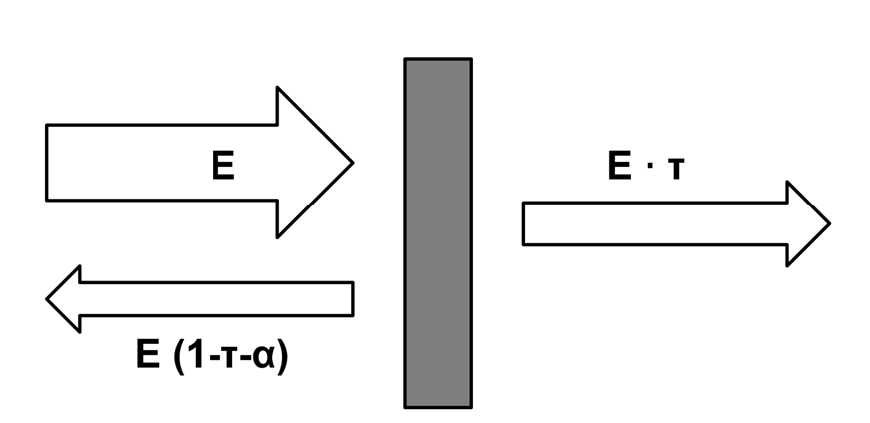
The sound energy E incident on an object is:
- partly absorbed E*α, i.e. converted into heat,
- partily transmitted E*τ ,
- partly reflected E(1-τ-α)t
If (τ+α) >1, there therefore is an invalid reflection spectrumsince outherwise the energy conservation would be violated.
Option „no edge scattering“
Option „no edge scattering“: If this option is active, no scattering will occur at the edges of this object. This holds even if the option „Use edge scattering“ is active (see „Particle Model“ tab).
3D-Appearence
The „3D“ button: opens the dialog Options for 3D Representation with the following options:
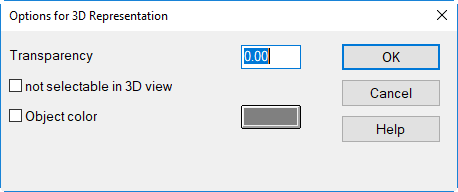
- Transparency: visual transparency of the object in 3D-View: transparency 0 (opaque) <= x <=1 (invisible)
- not selectable in 3D view: deactivates the feature to select this object per mouse in 3D view (e.g. to enable access per mouse to objects below). Even with the option active an object can be selected by holding down the ALT key.
- Object Color: select object color for 3D-view