Display Units
CadnaR can display geometrical and other data in the main window, in dialogs and tables using different units. Via the Display Units dialog on the Options menu the units for display can be specified.
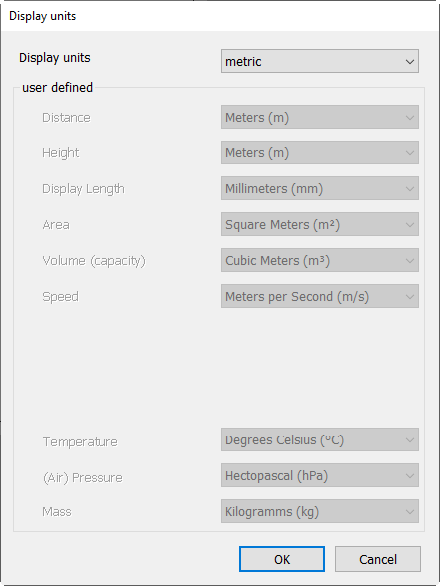
Displaying Units
There are three types of display units available:
- imperial
- metric
- user-defined
The display mode „metric“ is preselected. The dialog indicates which units are used for each parameter in this case.
By selecting „user-defined“, units can be selected for each parameter individually.
Note that CadnaR internally uses metric units since the algorithms (e.g. for sound propagation calculation) are based on metric units. Consider this in special when the display types „imperial“ or „user-defined“ are selected.
Import of non-metric data
In order to import data that uses non-metric units, the units can be converted on import already (see Transformation, Unit Conversion).
Subsequent unit conversion
The unit conversion can also be done later. To do this, use the "Transformation" action on the dialog Modify Objects or the context menu command Transformation. For the required settings, see Transformation, Unit Conversion.
This option is especially useful when exporting data enabling to use output units that differ from the units used in the modeling.
Note that with any other destination unit besides „meter“ being used, any subsequent calculation will be wrong in any case since CadnaR considers the generated lengths to represent metric units.
Additional Information
As already mentioned, the conversion to the selected display units in the main window, in dialogs and tables occurs automatically. On the other hand, the unit conversion is explicitly not carried out when accessing attributes (e.g. not via the Modify Objects dialog, when using Lua scripts or when evaluating formula expressions). This is by intention in order to ensure that the result of formula evaluations does not depend on the selected display unit.
In order to be able to control the display in these cases, two suffixes are available:
- suffix #: In this case the attribute is always shown in the selected display unit.
- suffix €: In this case, the attribute is always displayed metric units.
Example
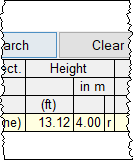
A point source has a height H of 4.00 m. After switching to imperial units, 13.12 ft is displayed for the height in the dialog and in the table. However, when generating a label with the height attribute H, 4.00 m is still displayed as an attribute.
Here, the following options are available:
- Using H# displays the converted value e.g. in labels.
- Using H€ enables to access the metric value in tables.
- With H (without suffix) the metric value is used in the label and the value in tables uses the selected display unit.
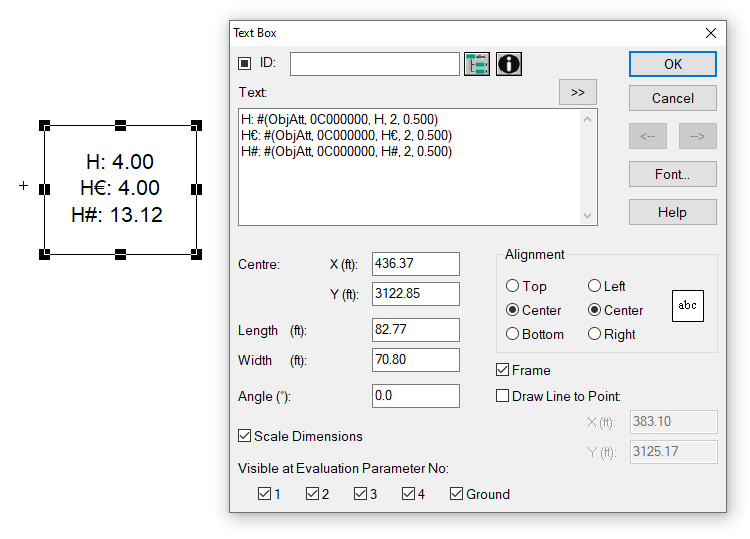
Point source with label showing the height attribute Hand after switching to imperial display units,editable display: H, H€, H#
 |
 |
Object table Point Source: Displaying the height H in meters after selecting imperial display units