Parallel Object
This command can be applied to any open or closed polygon. The command is available as an action on the Modify Objects dialog or on the context menu of an object.
This command generates a new object of the selected type parallel to the selected object.
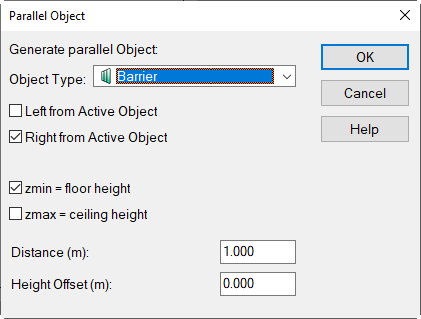
Options
- Left/Right from Active Object: The meaning of „left“ and „right“ refers to the viewing direction when looking from first to last point. The parallel object can be generated to the left or to the right or to both sides of the selected object.
- For the object types „vertical area source“ and „barrier“ the following additional options are available:
- zmin = floor level: If this option is enabled, the minimum height is limited to the floor level.
- zmax = ceiling height: When this option is activated, the maximum height is limited to the ceiling height.
- Distance (m): distance of the new object from the geometrical axis of the selected object (default value: 1 m).
- Height Offset (m): height difference of the new object and the selected object.
Polygon around line-objects
When executing the action/command Parallel Object at an open polygon and selecting a closed polygon as object type a closed polygon is generated around the line object provided both options „Left ...“ and „Right from Active Object“ are selected.