Calculate Grid
When selecting this order command on the Grid menu or when clicking the symbol on the symbol bar the sound levels on the grid are calculated as defined by the grid specification and the calculation area/s (or by the limits). At the same time, the levels all individual receivers is recalculated. Prior to the calculation, the object data are subjected to a consistency check (see Consistency Check).
In case with several active variants, a dialog for selecting variants is displayed:
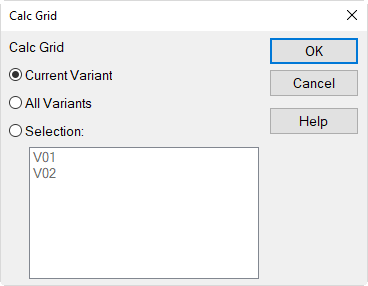
Calc Grid dialog (on Grid menu)
The grid of the current variant or the grid of all variants or those of selected variants can be calculated.
With the Shift key pressed when selecting the command, just the current variant is calculated.
Status of Progress
During the calculation the progress is displayed on a separate dialog enabling to stop the grid calculation.
Grid for Room Acoustical Parameters
Provided the option "Calculate Echograms ... for Grid" on the "RIR-Evaluation" tab (see Configuration) is activated, all room acoustical parameters are calculated on the grid at the defined grid height (see Specification), regardless of the selected parameters on the "RIR-Evaluation" tab. Furthermore, the echograms and the room acoustical parameters are recalculated at all active receivers for reasons of data consistency.
After the calculation an additional list box is displayed to the right of the symbol bar to select the level Lp or a room acoustical parameter for the grid representation:
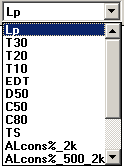
It shall be pointed out that the representation of the room acoustical parameters on the grid refers to the selected grid height only. All other heights from the list box "grid height" can not be selected ("greyed out"). In order to redisplay the level on the grid at a different height, select first "Lp" from the list box on the right.
When displaying grids of the frequency-dependent room acoustical parameters the list box "Frequency" is relevant as well. In this case the following rules apply:
- for Lp (LpA): Display occurs for "Total" and for all octaves of the selected frequency range.
- for T30, T20, T10, EDT, D50, C50, C80, TS: Display occurs for all octaves of the selected frequency range (display for "Total" is invalid, "-99").
- for ALcons% _2k, ALcons% _500_2k, STI_male, STI_female, STIPA, CIS: The display is independent of the selected octave or "Total" (i.e. the resulting grid as always displayed).