Source Group Calibration
With the Source Group Calibration, measured sound pressure levels can be used to calibrate the emission of a source group - also called machine in the following.
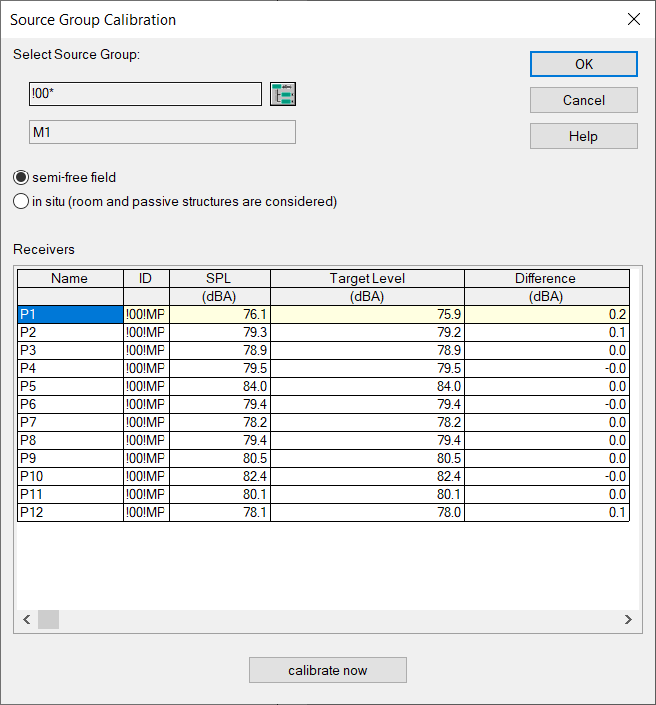
The aim is to calibrate complex source structures, typically consisting of multiple source objects and obstacle objects. For single point sources the functionality described in chapter Directivities (local) Button "simplified" might be more suitable.
Dialog options
Button ObjectTree

Selection of the ObjectTree group, which contains all elements of the source group and the associated immission locations (=measurement positions ).
semi-free field or in situ
Indication of how the levels entered in the table as "Target level" have been measured. Semi-free field corresponds to the measurement outdoors over reflecting ground. "in situ" corresponds to the measurement in the room, i.e. the target levels already contain the room response caused by the surrounding room and all passive structures/fixtures.
Table of receivers,Target level
Table of all active receivers of the selected source group. Name, ID and the A-weighted sound pressure level of the currently active variant are displayed as read-only. The A-weighted sound pressure value measured at this position can be entered in the Target level column. Receiver locations without a target level are not taken into account during calibration. The target level is stored in the memo field of the receiver (variable name CalibTarget).
button „calibrate now“
Starts the calibration. After calibration has been completed the quality of the calibration result can be assessed in the Difference column (target level minus level of current variant) since the current variant has been automatically recalculated during calibration process after adjusted emissions applying the "Measurement conditions" set above (semi-free field or in situ).
Procedure and further notes
- Generation of the machine model from emitting and shielding elements. See also the following functions:
- see Generate Machine from the context menu of an area ource.
- „Deconstruct box-type source“ in chapter Context Menu from the context menu of a box-type source. Box-type sources themselves are typically not suitable for calibration because the area-related sound power identical for all emitting sides an can not be adjustet per side.
- see Parallel Object and see Convert to
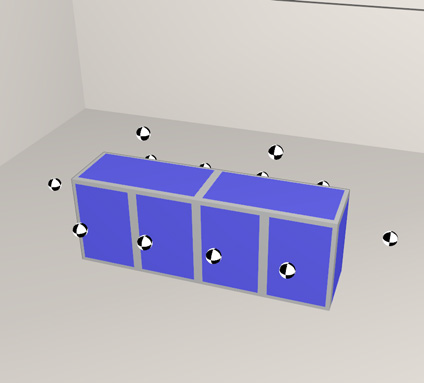
- Positioning of the receivers at the locations where the measurements were taken. For more precise positioning of the receivers in the measurement distance, see Snap point to obstacle.
Note
Ideally there is a 1 to 1 relation between sources and receivers, i.e. for each source of the machine model there is exactly one receiver (the level of which is mainly determined by this source). For better calibration results, it may therefore be useful to subdivide area sources and/or to add more measurement points at a suitable location.
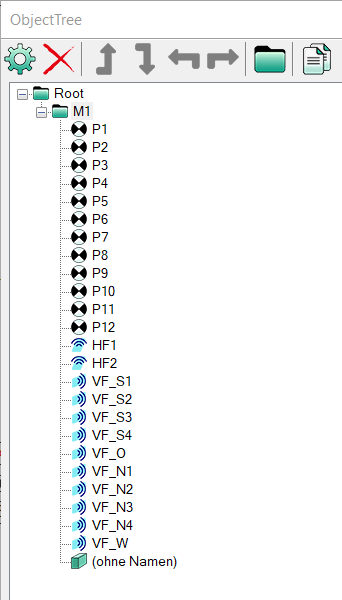
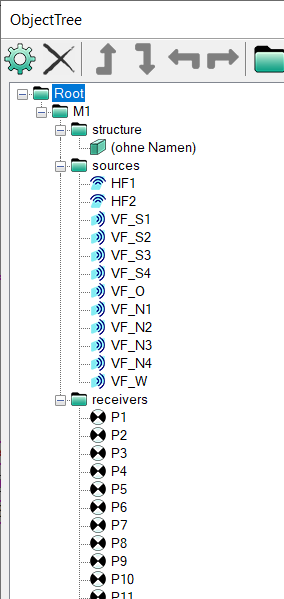
- Ensure correct sorting in the ObjectTree (see ObjectTree). The source group must contain all sources, obstacles and receivers. Subgroups are allowed. Both ObjectTree structures shown below for the source group M1 are allowed. The multiselection of objects (see Selecting Objects) in conjunction with the Object tree assignment from Modify Objects (see Change ObejctTree assignment) may also be helpful here.
 |
 |
 |
- In the Source Group Calibration dialog, select the corresponding ObjectTree group, specify under which conditions measurements were taken (semi-free field or in-situ) and enter the levels measured at the respective positions, i.e. the target levels for calibration.
- Upon click on "Calibrate now", the following steps are automatically executed:
- Step 1: Simulation run for the calculation of the current variant: Determination of the partial levels of each source at each receiver (based on the emissions incl. spectrum specified in the respective sources) under semi-free field or in-situ conditions.
- Step 2: Calculation and assignment of the optimum emission per source based on the partial A-weighted sound pressure levels and with the aim of the smallest deviations from the specified target A-weighted sound pressure levels. The option "adjust to to LwA/LwA´´ " is always activated automatically.
- Step 3: Simulation run for the calculation of the current variant: Calculation of the levels at the receivers of the source group under semi-free field or in-situ conditions for comparison with the target levels.
Note
Especially for underdetermined systems, i.e. when there are less receivers than sources, a non-emitting source (source emission "-88" dBA) can occur as a reasonable calibration result. If this is undesirable, additional receiver points can be set at a suitable location before repeating the calibration process.