Layer
Applying this dialog enables to define the sequence order when drawing objects onto the screen. By this sequence it can be controlled which object type will cover another object type (depending also on the Appearance settings of objects, see Appearance).
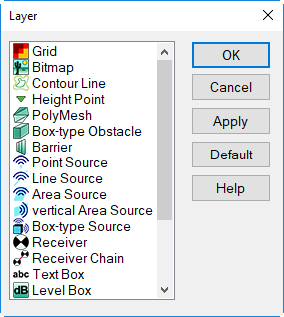
Dialog Layer
List of Objects
The sequence in this list determines the sequence of objects being drawn on screen. The object type on top of the list ("Grid" in default setting) is drawn first, the object type on the bottom of the list is drawn last.
Moving Objects
Mark the object type to be shifted using the mouse and hold the mouse button pressed while moving the object to the new location in the list. Now, release the mouse button.
Button "Apply"
applies the present sequence order of objects without closing the dialog
Button "Default"
selects the default sequence order as defined internally