Common Input Data - Geometry
Dialog Geometry
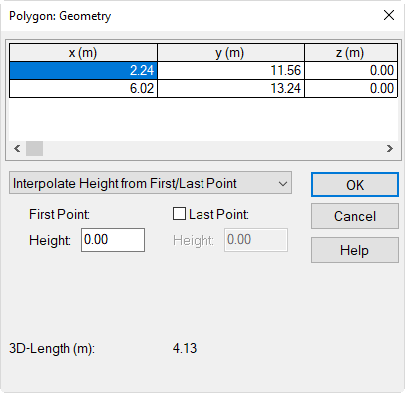
Accessible from the button Geometry in the object dialogs. This dialog displays the xyz coordinates of all polygon points. Via the context menu of the table rows can be added, deleted, modified, or sorted
 |
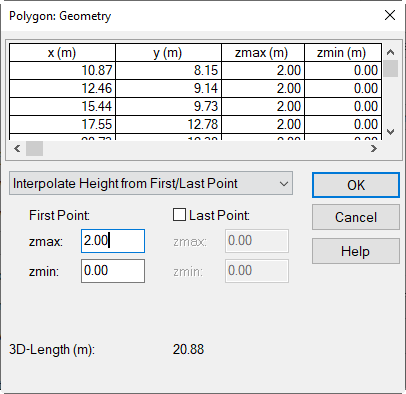 |
| Dialog Polygon: Geometry | Dialog Polygon: Geometry for polygons with two height information per polygon point |
-
List Box "Height":
- Interpolate Height from First/Last Point: By entering a height just for the first point all polygon points receive this height (respectively both height information zmax and zmin). By activating option "Last Point" and entering a height deviating from the first point, the heights of intermediate points will linearly interpolated from the height of first and last point.
- absolute Height at every Point: This option enables to edit the height (respectively zmax and zmin) at each polygon point in the table individually.
-
Table of Polygon Points: list the coordinates x,y,z (respectively x,y,zmax,zmin) of the polygon's points. Double-clicking into a row opens the dialog Polygon Point.
- 3D-Length: The total length (in m) of the line object - in contrary to the 2D-length displayed on the CadnaR-main dialog.
Dialog Polygon Point
 |
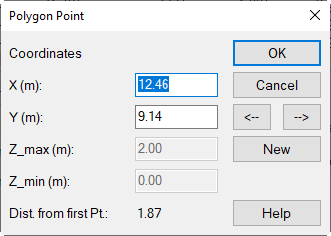 |
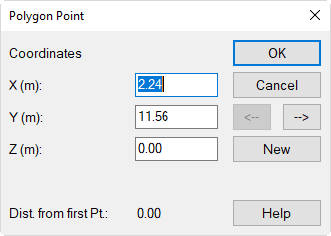
| Dialog Polygon Point | Dialog Polygon Point for polygons with two height information per polygon point |
- Coordinates: X,Y,Z (respectively Z_max,Z_min) coordinates of the polygon point (Z coordinates gets grayed out with interpolated heights)
- Distance from first point: 3D-distance from initial point (m). Upper edge (Z_max) relevant in case of two heigt information per polygon point.
- Button "New": inserts a new polygon point
- Arrows <-|->: switches to previous/next polygon point