Contour Line
The contour line may be used - besides the height point (see Height Point) and the PolyMesh (see PolyMesh) - to generate an arbitrarily bounded and curved screening surface in three-dimensional space.
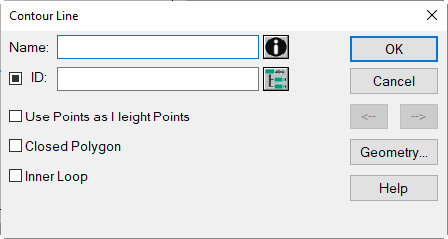
Dialog Contour Line
Contour lines as individual objects are not relevant in CadnaR, only when being grouped using a PolyMesh or in conjunction with a vertical PolyMesh when being used as an inner loop or as an boundary polygon.
Regarding the features when using the object „PolyMesh“ see PolyMesh, and for the object „vertical PolyMesh“ see Vertical PolyMesh.
Dialog options
- Name, ID, ObjectTree and Memo-Window see Common Input Data
- Option „Use Points as Height Points“: This option offers to save a number of height points as contour lines where the vertex points of each contour receive the height of each height points (with geometry option „Height at every Point“).By activating this option, the heights points making up the contour line are displayed in the graphics using the height point‘s symbol, but using the color setting for contour lines.
- Option „Closed Polygon“: Activating this option will cause the first and the last polygon point to get connected forming a closed contour line.
- Option „Inner Loop“: With this option a closed polygon inside of a (horizontal) PolyMesh (see PolyMesh) will be treated as hole structure. This requires that the contour line is positioned completely inside the perimeter of the PolyMesh.When applying the context menu command Group PolyMesh (see PolyMesh, Context Menu CommandsGroup PolyMeshUngroup PolymeshBreak polymesh into pieces), the area of the inner loop is punched out of the PolyMesh‘s surface.
Note
Furthermore, the option „Inner Loop“ is used in the Shape Editor to define holes inside vertical PolyMeshes (see Vertical PolyMesh).
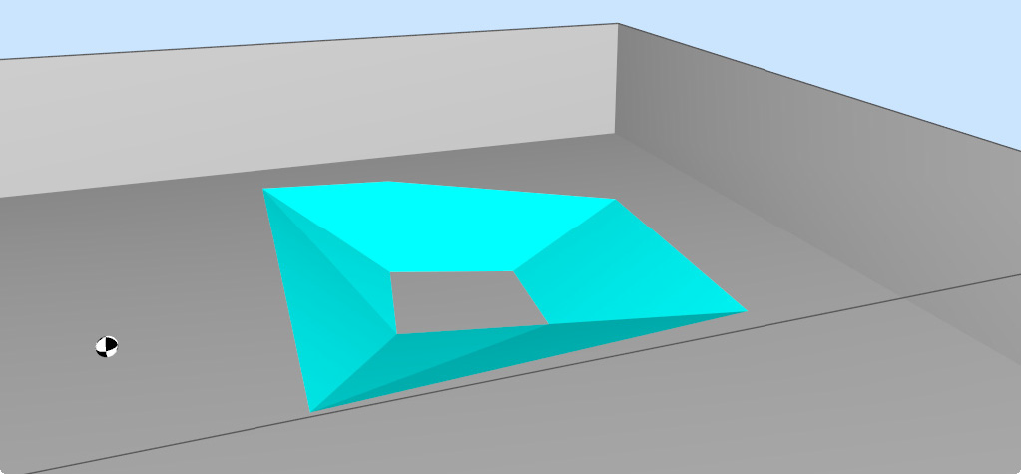
PolyMesh with inner loop defined from a closed contour line
- Button Geometry: see Common Input Data - Geometry