Symbol
This type of object offers to insert various symbols into the graphic representation which can be rotated by entering an angle. In addition, 3D- symbols (see Local/global Libraries) can be inserted which are displayed within the 3D-Special view (see 3D-View).
After selection the object „Symbol“ form the CadnaR toolbox and with a click in the main window, a dotted frame appears (alternatively draw a frame with the left mouse button pressed). Double-clicking this frame opens the dialog Symbol.
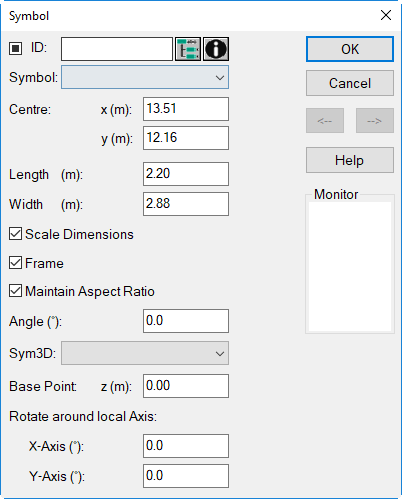
Dialog options
Mark, ID, ObjectTree, INFO
List Box „Symbol“
The list box on the dialog offers to select a predefined (see below) or a user-defined symbol. A preview of the selected symbol is shown on the monitor.
Note
Note that the assignment of a symbol is based on the language specific symbol name. Therefore, when changing the language setting the symbol selection may no longer be valid (e.g. when using the North-Arrow). After toggling the language of the user-interface reselect the symbol/s via this list box.
Centre/Length/Width
geometry data of the symbol
Scale Dimensions
With this option being active, the size of the symbol in the graphical representation depends on the scale selected/entered.
Frame
toggles on/off the display of a frame
Main Aspect Ratio
When the option „Maintain Aspect Ratio“ is activated, the symbol will always be displayed with the original aspect ratio. Consequently, it will not be distorted when the size of the box is edited.
Angle (°)
Rotation angle from North direction (= 0 °), counterclockwise positive
Options for 3D-Symbols
The options on the lower part of the dialog Symbol refer to 3D-symbols only.
List Box
The name of 3D-symbols available in the local 3D-symbol library (see menu Tables|Libraries (local)|Symbol Library 3D, see Local/global Libraries) are displayed in this list box.
Base Point z (m)
Enter here the height of the 3D-symbol above the room‘s floor level. By default, a relative height of 0 m is defined.0
Rotate around local Axis
This options enables to rotate the 3D symbol around the local x or y axis. So, 3D symbols which have been imported with orthogonal object geometries can be rotated by the x or y axis in the 3D view.
Global Appearance
The global appearance of symbols (as for „Line“ and „Fill“) are defined via the dialog Options|Appearance (see Appearance). The option „Fill“, however, is not available for all types of symbols.
Default Symbols
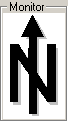
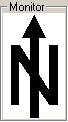
By default, the following symbols are available:
 |
 |
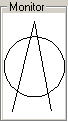 |
| North Arrow 1 | North Arrow 2 | North Arrow 3 |
 |
 |
 |
| Circle | Cross | Mark |
 |
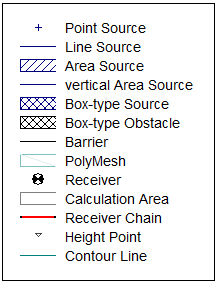 |
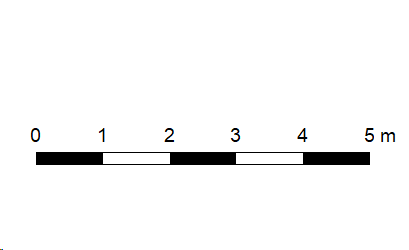 |
| Caption: Grid | Caption: Objects | Caption Scale Bar |
User defined Symbols
In addition, user-defined symbols may be used. User-defined symbols are stored in the library of symbols (see Local/global Libraries) which will be listed subsequently on the list box on the dialog Symbol.
Pasting bitmaps via the clipboard
Bitmaps which have been copied to the Windows clipboard can be pasted into the graphics of CadnaR by pressing the key combination CTRL+V. These pasted bitmaps are saved as symbol objects.