Barrier
The barrier is standing vertically on the room's floor and may consist of several segments.
At each polygon point a lower and upper height can be specified enabling to define inclined lower and upper edges. This holds for the particle model. With calculations using the image source model inclined edges are ignored and rectangular segments are treated as individual barriers..
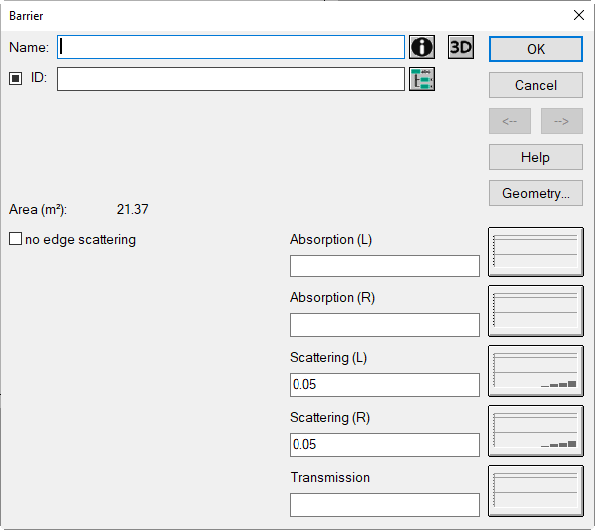
Dialog Barrier
Dialog options
- Name, ID, ObjectTree and Memo-Window see Common Input Data
- „Area: surface area of one side of the barrier (in m²)
- Buttons „Absorption/Scattering/Transmission“: see Common Input Data - Obstacles
Note
The terms "L/R" refer to the left or right side of the screen, as seen from the first to the last point of the barrier's polygon.
- Option „no edge scattering“ and button „3D“: see Common Input Data - Obstacles
- Button Geometry: see Common Input Data - Geometry