Partial Level of Groups
Partial Level per Group
The partial levels all sources in a group at all active receiver points can be displayed. Proceed as follows:
- Open the table Groups on the Tables menu.
- Double-click into the line of the group the partial levels of all sources within that group shall be displayed.
The respective dialog Group is opened.
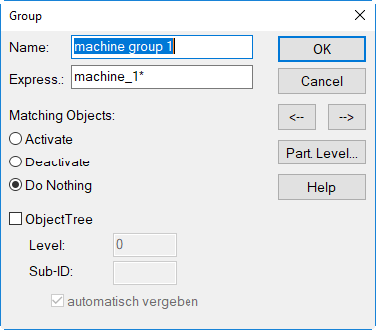
Dialog Group of the group "machine group 1"
- Click the button „Partial Level“ to display the A-weighted partial level for each source within that group.
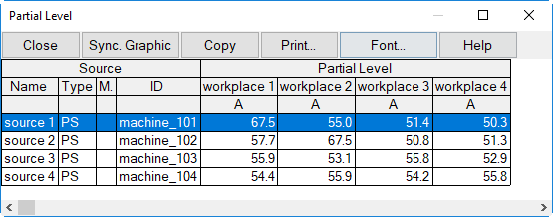
Partial levels of the sources in group "machine group 1"
List of partial levels for all sources
In contrary, the table Partial Level on the Tables menu lists all partial levels of all sources at all active receiver points.
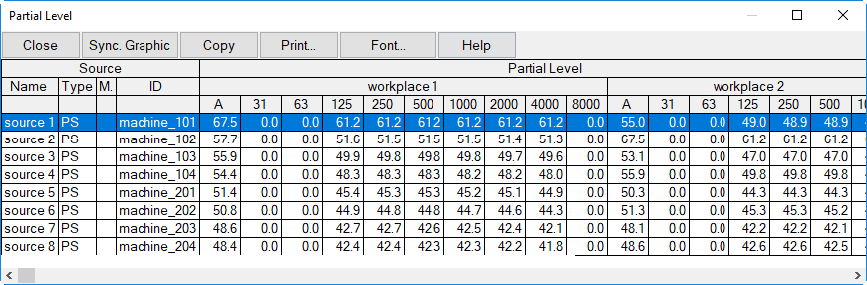
Table Partial Level (from the Tables menu)