Modify Order of Points
The action „Modify Order of Points“ on dialog Modify Objects (also available from the context menu of polylines) enables to subsequently change the sequence of polygon points.
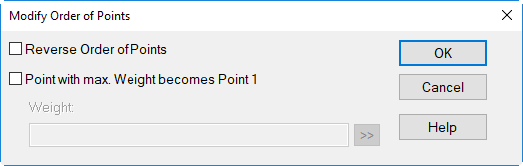
Reverse Order of Points
The option „Reverse Order of Points“ inverts the sequence of points in the polygon’s point list (dialog Geometry). Thus, the former first point becomes the new last point.
Weighting Criterion
The option „Point with max. Weight becomes Point 1“ enables to specify a criterion defining the new first point. Via the double-arrow ( ) the following pre-defined parameters can be selected:
| Parameter | Remarks |
| x, y, z | object’s coordinates x, y, z |
| num | number of the polygon point (counting from the first point) |
| len | 2D-polygon length |
| len3 | 3D-polygon length (considering the height z) |
| dist | 2D-distance to the first point |
| dist3 | 3D-distance to the first point (considering the height z) |
The weighting criterion will by default select the highest value of the specified parameter/s („maximum weight“). In order to select for the smallest value („minimum weight“) use the negation (e.g. „-y“).