Spatially averaged reverberation time (Receivers + grid)
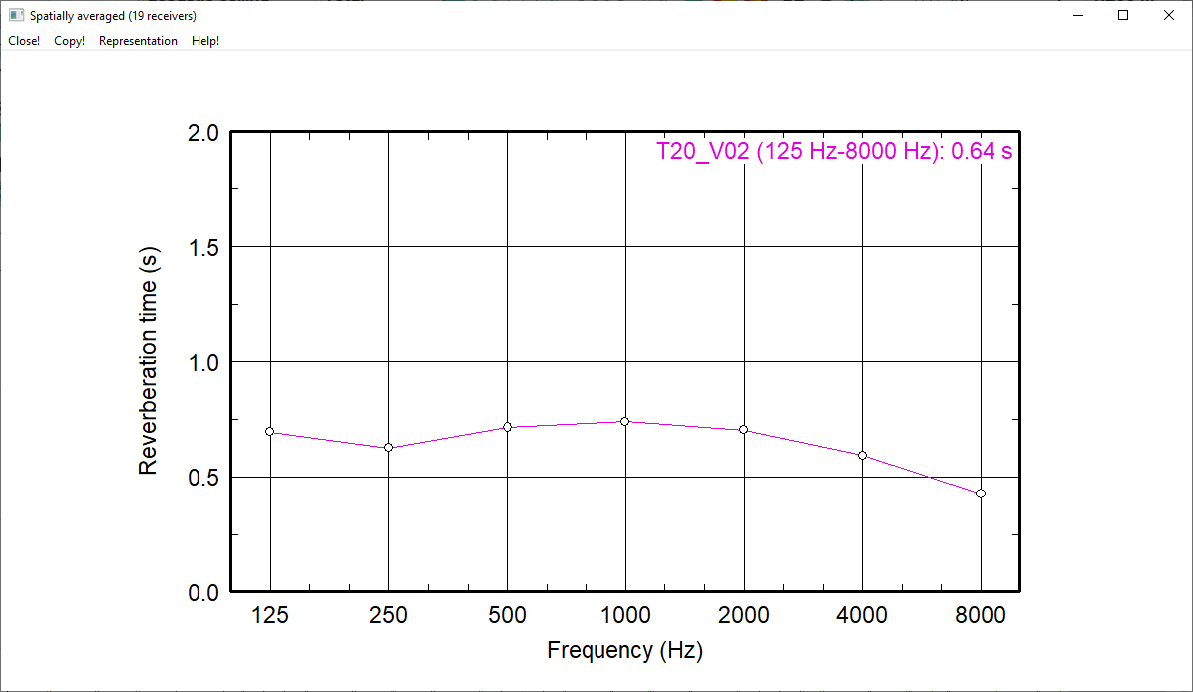
This menu command offers to display diagrams and tables showing the averaged reverberation times T30, T20, T10 and EDT for all receivers (see Receiver) above frequency. The evaluation of the spatially averaged reverberation time just occurs for the currently used variant (see Variants).
For this, the particle model („Particles“ or „Image Sources --> Particles“, see Configuration). In addition, the option „Calculate Echograms and Decay Curves ... for Receivers“ on the „RIA-evaluation“ tab has to be activated (see "RIR-Evaluation" tab).
Diagrams and Tables
The following diagrams and tables can be displayed:
- diagram and table for receivers: The displayed reverberation time curves are determined from the echograms at all receivers.
- diagram for grid: The displayed reverberation time curves are determined from the echograms at all grid points.
- table for receivers: The reverberation times incl. standard deviation are determined from the echograms at the points of all receivers.
- table for receiver chains: These reverberation times are determined from the echograms at the points of all receiver chains
- table for receivers (variant comparison): The reverberation times incl. standard deviation are determined from the echograms of all active receivers for each variant in use.
- table for receiver chains (variant comparison): These reverberation times are determined from the echograms at the points of all active receiver chains for all variants in use.
Dialog options
Via the menu Representation, the above mentioned reverberation times can be toggled for display. Additional options are described below.
Recommended values in standards and guidelines
Recommended or target values can be displayed:
- the minimum and the maximum reverberation times (from 125 to 4000 Hz) for the room acoustic classes A, B and C of individual or open-plan offices according to VDI guideline 2569 :
| Line Color | Requirements accord. to VDI 2569 for ... | |
| individual offices | open-plan offices | |
 |
Tmax for room acoustic class C | |
 |
Tmax for room acoustic class B | |
 |
Tmax for room acoustic class A | |
 |
(no requirement) | Tmin |
- the minimum and the maximum reverberation times (from 63 to 8000 Hz) for the five types of use RG A1 to A5 RG of room group A accord. to DIN 18041 and UNI 11532-2:
| Room Group RG |
German Room Designation accord. to DIN 18041 | English Translation |
| A1 | Musik | music |
| A2 | Sprache / Vortrag | speech / lecture |
| A3 | Unterricht / Kommunikation sowie Sprache/Vortrag inklusiv | lesson / communication, plus speech / lecturing included |
| A4 | Unterricht / Kommunikation inklusiv | lesson / communication included |
| A5 | Sport | sports |
- Requirements according to ASR3.7:
- Callcenter
- Multi-person and open plan office
- One and two person office
- Educational institution
Variant Comparison
This option is deactivated by default ("off"). If more than one variant (see Variants) is used, it is possible to switch between the results of the active variants after calculation and display the corresponding reverberation time curves (or "all").
User defined room volume
Some requirements for the reverberation time depend on the room volume. To be able to show these requirements in the reverberation time dialog, the user-defined room volume must be activated. The numerical preset value corresponds to the room volume, which is calculated from dimensions in Room/Room Parameters (see Room).
Note
If the effective volume differs from this volume (e.g. because box-type obstacles have been used to model other, non-rectangular rooms) this option allows to enter the room volume (in m³) to be used to calculate the requirements e.g. accord. to DIN 18041.
User defined reverberation times
In this dialog it is possible to define up to two reverence curves (e.g. from measurements) of the reverberation time, which can be displayed in the reverberation time diagram. The target reverberation time used for calibrating spectra can also be displayed in as a third curve (see Calibrate Spectra). The maximum value of the display range can be set as well.
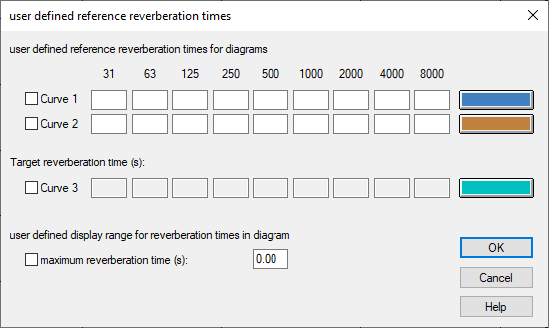
Dialog user defined reverence reverberation times
The values for the two user defined reference reverberation times are saved as textblocks in the respective local library.
Show error bars
Within the menu Representation | Reverberation time, error bars can be displayed for each frequency band.
Load Preset,Save Preset
It is possible to save and load up to 10 Presets via the respective entries in the menu Representation.